

General
This page allows administrators to view and update the organization name and configure the default device name prefix used when new devices are registered.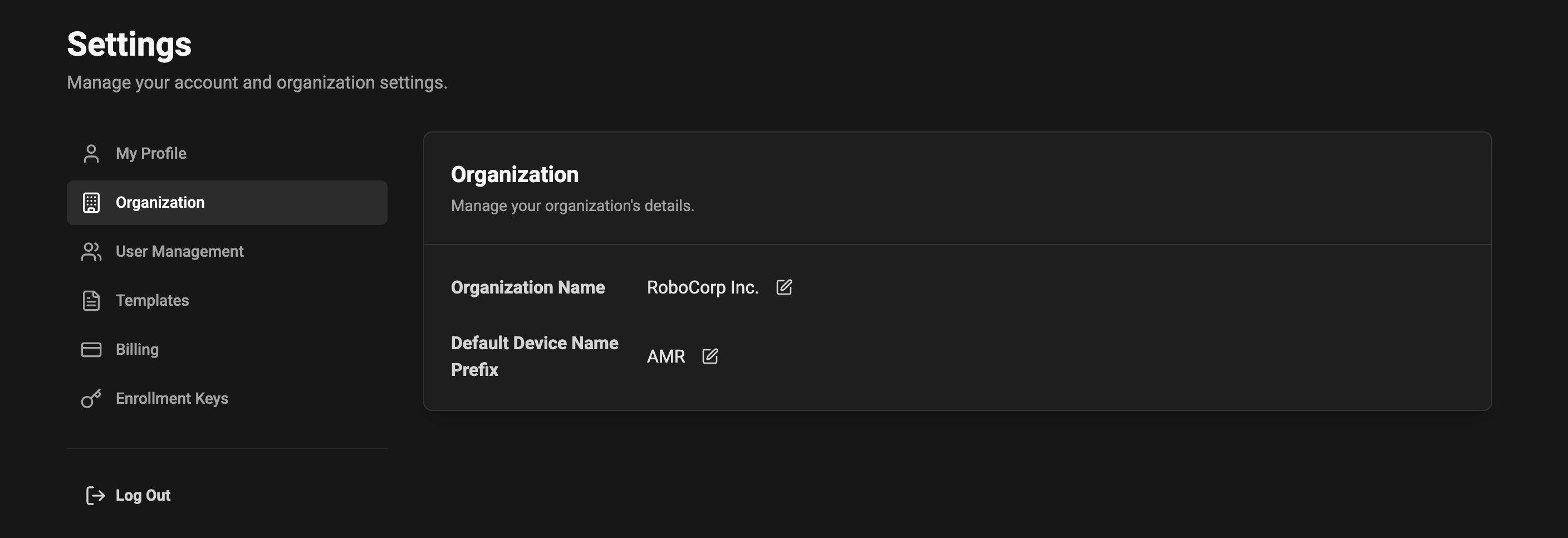
Organization name
- The organization name is the canonical name shown in the app headers and in generated communication.
- Click the edit icon next to the organization name to change it.
- Changes are saved immediately and will appear across the application where the organization name is displayed.
Device name prefix (automatic numbering)
You can provide a default prefix that will be used when new devices are registered. This helps keep device names consistent and easy to identify.- Example: If you set the prefix to
AMR, devices will be named automatically asAMR 1,AMR 2,AMR 3, etc., in the order they are registered. - If no prefix is set, the system will use the generic prefix
Device, producing names likeDevice 1,Device 2, and so on. - The numbering is incremental and applied automatically when a device is created. The system ensures uniqueness by incrementing the next available number for that prefix.
- Empty or whitespace-only prefixes are treated as “not set” and fall back to
Device. - Prefixes may include letters, numbers, and hyphens (
-). Spaces are trimmed. Leading/trailing spaces will be removed. - If you change the prefix later, existing device names are NOT renamed automatically. The new prefix will only apply to devices created after the change.