


Step-by-step (UI)
- Open the Sites page (main menu → Sites).
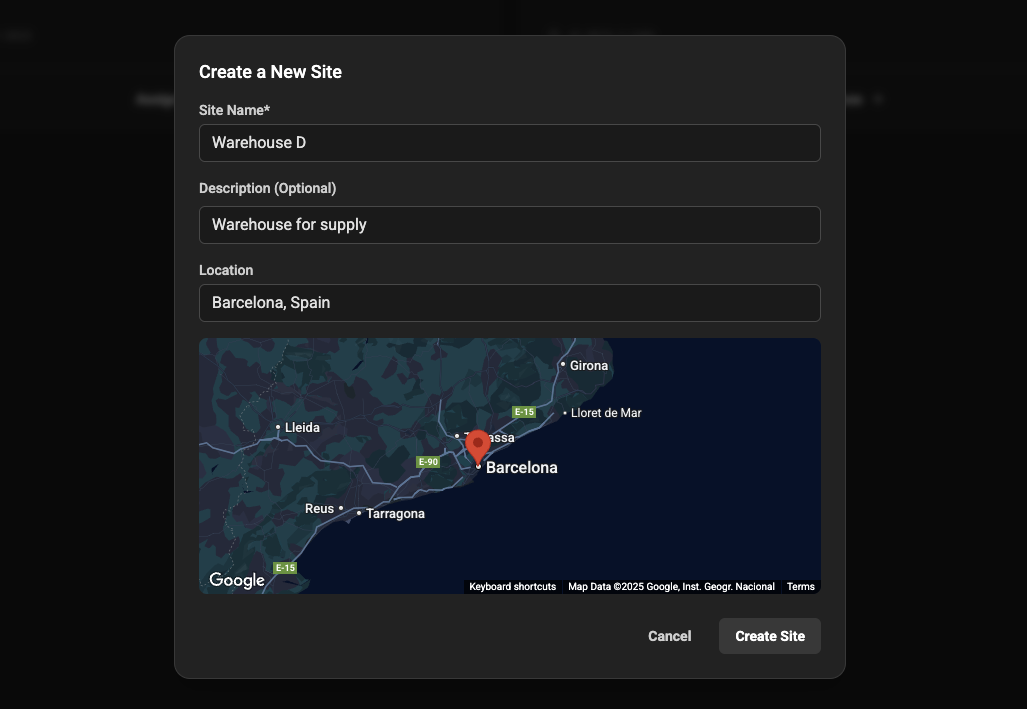
- Click “Create New Site”.
- Enter values for the form fields.
- Review the form for validation warnings (see Field validation below).
- Click Save — you should see a success notification and be returned to the Sites list.
After create: quick next steps
- Add devices: create or onboard devices and set their
siteto the newly created site. - Deploy agents: install and configure agents to connect devices at the site.
- Create monitoring rules: set up alarms for key metrics on devices at the site.
Troubleshooting
-
Q: I submitted the form but no site appears in the list.
A: Confirm you received a UI success notification. Refresh the list and check filters. -
Q: The site appears but I can’t add devices.
A: Ensure your user role has permission to modify the site (Admin or Operator).