

Device Recordings
Easily browse, manage, and upload your device’s recorded data. The Device Recordings page provides a visual timeline, a searchable and grouped recordings list, and powerful tools to help you get the most from your device’s data.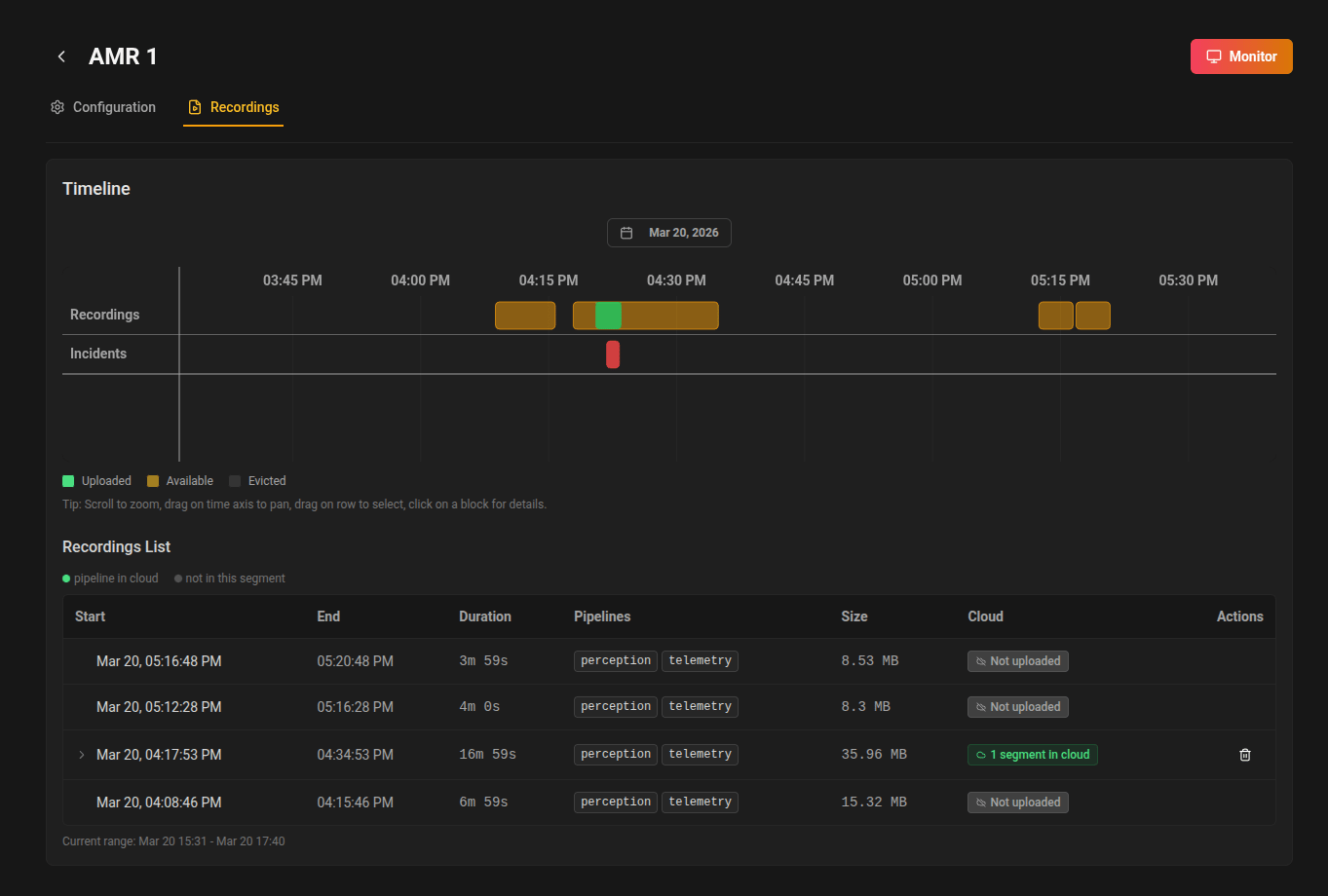
At a glance
When you open the Recordings tab for a device, you’ll see:- Timeline: An interactive, zoomable timeline showing all available recordings for the selected time range.
- Recordings List: A grouped table showing all recordings, with each recording expandable to reveal its individual segments.
- Upload Progress: Real-time feedback on ongoing uploads to the cloud.
Timeline
The timeline gives you a visual overview of all recordings for your device. Each block represents a recording session:- Green: Fully uploaded to the cloud.
- Amber: Available locally, not yet uploaded.
- Gray: Evicted (no longer available on device).
- Zoom and pan to explore different time periods.
- Select a range by dragging on the timeline to filter the recordings list below.
- Click a block for details and upload options.
Tip: Use the calendar button to quickly jump to a specific date.
Recordings List
Below the timeline, you’ll find a grouped table listing all recordings in the selected range. Each recording can be expanded to show its individual segments. For each recording and segment, you can see:- Start/End Time
- Duration
- Pipelines — the recording sets included, as configured in Data Collection
- Size
- Cloud Status (uploaded, uploading, queued, etc.)
Segment Grouping
Recordings are now grouped by their recording ID. Expanding a recording reveals all its segments, each with its own details and actions. This makes it easier to manage large or long-running recordings that are split into multiple segments.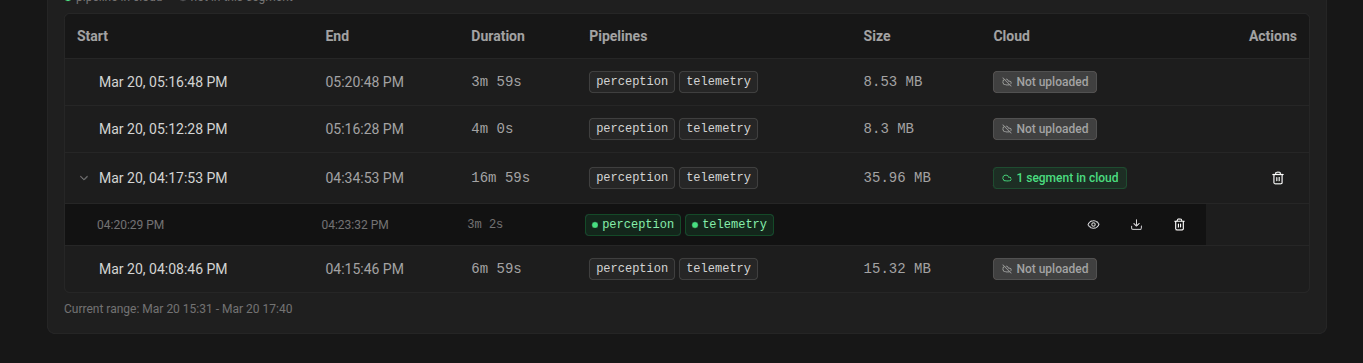
Actions
- Download per Segment: Download any individual segment directly. If the device records more than one set, you can choose which pipeline to download for each segment.
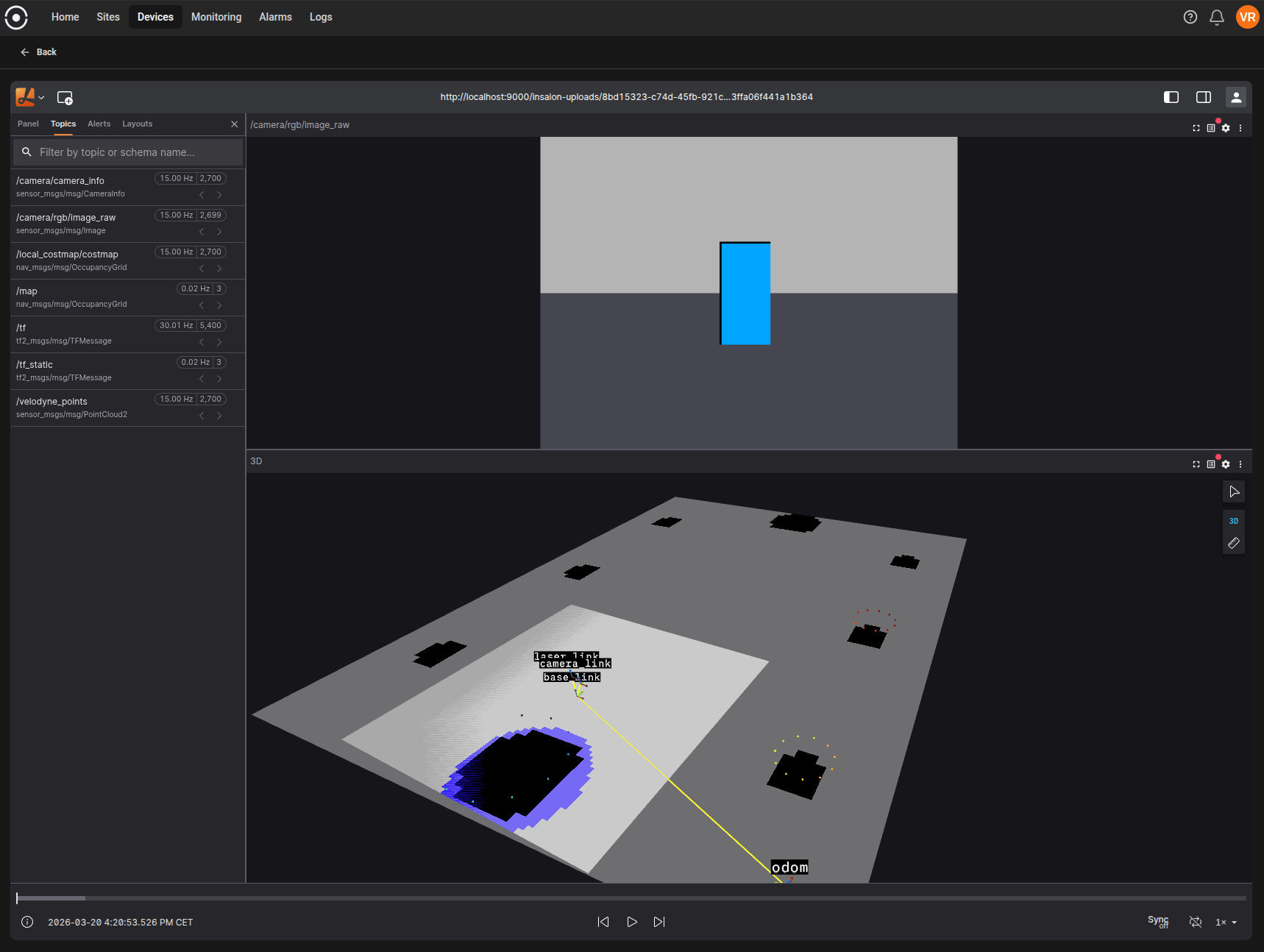
- Visualize in Viewer: Instantly open any segment in the embedded Lichtblick visualizer for in-browser visualization and analysis. Click the “View” action on a segment to launch the viewer.
- Delete: Remove a recording or a specific segment from the cloud (irreversible).
- Upload: If a recording or segment is not yet uploaded, you can trigger an upload from the timeline or details popover.
Upload Progress
Ongoing uploads are shown in a panel at the bottom corner. You can monitor progress and see when uploads complete.Best practices
- Regularly upload important recordings to the cloud to prevent data loss.
- Use metadata and naming conventions to keep recordings organized.
- Download recordings or segments for offline analysis or sharing as needed.
- Use the embedded Lichtblick visualizer to quickly inspect and validate your data before downloading.
Troubleshooting
- If a recording is missing, check the selected time range and device status.
- For upload issues, ensure the device is online and has network access.
- Contact your administrator if problems persist.